
下载地址
[更新:五合一完整套装] 西贝柳斯(Sibelius 2025)+简谱插件V8+图片识别+音频识别 +音色库+教程 [WiN, MacOSX]
(其内已包含)
关联资源
[最新完整版:图片识别-乐谱制作工具] Neuratron PhotoScore & NotateMe Ultimate 2020.1 v9.0.0 [WiN, MacOSX]
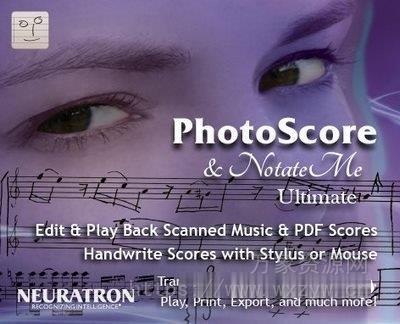
P2P | 12.2019 | 100 MB
关联资源:[乐谱制作工具]Neuratron PhotoScore Ultimate 8.8.6 v8.8.4 [WiN, MacOSX]
安装方法:
– 安装程序。
– 用提供的可执行文件替换程序目录中的原始可执行文件。
– 出于安全考虑,使用防火墙阻止该程序。
播放和编辑扫描的乐谱和 PDF。使用手写笔或鼠标快速准确地书写乐谱。
可单独使用,也可与 Sibelius、Finale、Cubase 和大多数音乐程序配合使用。
超过 22 年的识别技术经验使我们能够设计和创建强大的 OmniScore²™ 双引擎识别系统,使 PhotoScore & NotateMe Ultimate 在大多数 PDF 和原件上的准确率超过 99.5%!
PhotoScore & NotateMe Ultimate 几乎可以挑出每一个细节,甚至可以识别 4 行和 6 行吉他指法谱、1、2 和 3 行打击乐谱。我们的音乐手写应用程序 NotateMe 完全集成,这意味着您可以随时随地使用平板电脑和手写笔或鼠标/触控板(如果您没有)书写音乐。
从一开始,易于使用就是设计的核心目标,而且通过自动扫描和识别,加上获得许可的 Sibelius 风格编辑界面,PhotoScore & NotateMe Ultimate 使用起来甚至变得有趣和令人兴奋!
要在 Windows 上使用 PhotoScore & NotateMe 2020,您的系统需要以下硬件:
IBM 兼容 Pentium III(或同等 AMD 处理器)或更高版本的 PC,并安装 Windows 7/8/10。建议至少 512MB。
您的计算机还应具有合理的可用硬盘空间 – 至少 40MB,最好更多。
应安装 Adobe Reader 6.0 或更高版本才能查看 PhotoScore 的 PDF 帮助。Sibelius
用户注意:虽然 PhotoScore 可以与 Sibelius 3 及更高版本一起使用,但建议您使用 Sibelius 5.0 或更高版本(Sibelius 2018 可获得最佳效果),因为它大大改进了 PhotoScore 导入功能。
扫描仪(可能通过 USB、打印机或 SCSI 端口连接到您的计算机),并安装 TWAIN 或 WIA 驱动程序软件。NotateMe
推荐:触摸屏或带手写笔的平板电脑(例如 Microsoft Surface Pro)。如果使用触摸屏/手写笔,则需要 Windows 8.1。
Play back and edit scanned sheet music and PDFs.
Quickly and accurately write music notation with stylus or mouse.
Use on its own, or with Sibelius, Finale, Cubase and most music programs.
More than 22 years experience in recognition technologies have enabled us to design and create the formidable OmniScore²™ dual-engine recognition system, incredibly making PhotoScore & NotateMe Ultimate over 99.5% accurate on most PDFs and originals!
PhotoScore & NotateMe Ultimate picks out virtually every detail and even recognizes 4 and 6 line guitar tablature, 1, 2 and 3 line percussion staves. Our music handwriting app NotateMe is fully integrated, meaning you can write music on the go with your tablet and stylus, or mouse/trackpad if you do not have one.
Ease-of-use has been a central design aim right from the start, and with automatic scanning and recognition, plus licensed Sibelius-style editing interfaces, PhotoScore & NotateMe Ultimate even becomes fun and exciting to use!
To use PhotoScore & NotateMe 2020 for Windows your system requires the following hardware:
An IBM compatible Pentium III (or equivalent AMD processor) or higher PC with Windows 7/8/10. At least 512MB is recommended.
Your computer should also have a reasonable amount of free hard disk space – at least 40MB and preferably rather more.
Adobe Reader 6.0 or later should be installed to view PhotoScore’s PDF help.
Sibelius users note: Although PhotoScore will work with Sibelius version 3 and higher, It is recommended that you use Sibelius 5.0 or higher (Sibelius 2018 for the best results) as it has greatly improved PhotoScore importing capabilities.
A scanner (probably connected to your computer via a USB, Printer or SCSI port), and installed TWAIN or WIA driver software.
Recommended for NotateMe: Touch screen or tablet with stylus (e.g. Microsoft Surface Pro). Windows 8.1 if using touchscreen/stylus.
![[音乐创作应用工具+内容库] Roland Zenbeats Max Unlock v3.11.2 [WiN](295MB+7.29GB)](https://img.wxzyw.cn/wp-content/uploads/2026/05/b5d8e6016b34f4ba6105d86032c0ee81.png)
![[全球最佳 DJ 软件] Serato DJ Pro Suite v4.0.7 [WiN](1.66GB)](https://img.wxzyw.cn/wp-content/uploads/2026/05/b94aca002c78d1ac0cb32dab66d9a51b.png)
![[专业麦克风录音工具] Pro Microphone 1.8.5-TNT [MacOSX](143MB)](https://img.wxzyw.cn/wp-content/uploads/2026/05/aa83e7754f5cc1c90f4ec6c75e8e26b4.png)
![[更新:R2R 新工具] TEAM R2R System v1.4.0-R2R [WiN](23.9MB)](https://img.wxzyw.cn/wp-content/uploads/2026/05/4baea7140a836fa31e5c32830cdc71d6.jpg)
![[AI 歌词视频制作工具] Lyric Video Studio v1.5.32 [WiN](280MB)](https://img.wxzyw.cn/wp-content/uploads/2026/05/7adb9c779e8b27331a1ab02e72aa4641.png)
![[音乐播放器] Audiofile Engineering Fidelia 2.7.1 MAS-HCiSO [MacOSX](18.37MB)](https://img.wxzyw.cn/wp-content/uploads/2026/05/68e6dd7fcf29fcb6499901a642b405b1.jpg)
