
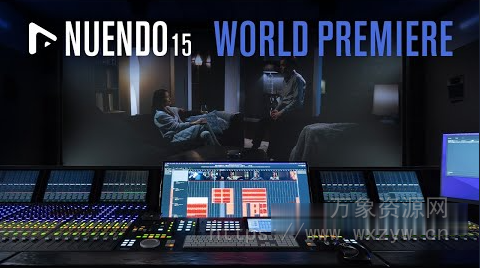
Steinberg Nuendo 15 具有增强的自动化面板,新增紧凑视图、播放时写入功能,可增强录音自动化,自动锁定模式可对每个轨道进行打孔控制或全局打孔,自动化轨道上下文菜单等等,从而实现更快、更高效的后期制作工作流程。
哪些是“Mac苹果电脑安装数字音频前必须做的操作”,请点击查看《详细步骤》
特别推荐
[完整版:原厂+扩展]Steinberg Cubase Nuendo Vst Sound (92GB+217GB)
Win:P2P (Incl V.R Unlocker)| 25 March 2026 | 1.3 GB
Mac(U2B):P2P | MARCH 2026 | 1.7 GB
Content:P2P | 25 March 2026 | 20 GB
安装方法:
点击查看
Win版
0. 从 Steinberg 官网下载最新版本(下载包内已提供):
– Steinberg MediaBay
– Steinberg Activation Manager
– Steinberg Library Manager
1. 安装 Steinberg 产品
2. 运行 V.R Unlocker。
完成!
感谢 V.R 团队和 V.R Unlocker 团队的贡献。
Mac版
1. 安装
2. 解压并替换 K’D
至 /Applications/Nuendo 15.app/Contents/MacOS/Nuendo 15
(使用 show package contents 命令)
3. 运行以下代码进行代码签名,复制粘贴到终端
4. 尽情享用
5. 使用 Sentinel:https://github.com/alienator88/Sentinel
鸣谢:@iamdumb
参考代码
xcode-select –install
sudo xattr -cr /Applications/Nuendo 15.app/Contents/MacOS/Nuendo 15
sudo xattr -r -d com.apple.quarantine /Applications/Nuendo 15.app/Contents/MacOS/Nuendo 15
sudo codesign –force –sign – /Applications/Nuendo 15.app/Contents/MacOS/Nuendo 15
chmod +x /Applications/Nuendo 13.app/Contents/MacOS/Nuendo 15
作为目前最先进的音频后期制作解决方案,Nuendo 是全球电影、电视、游戏音频和沉浸式音效行业专业人士的首选。自发布以来,Nuendo 一直是众多知名作品、产品和装置音乐制作中不可或缺的工具。定期更新,不断推出新功能、改进工作流程并添加用户所需的功能,意味着 Nuendo 始终超越人们对音频后期制作专用音频工作站的预期,其高端且往往独一无二的功能,持续引领着音频和媒体制作软件的革新。
As the most advanced audio post-production solution available, Nuendo is the choice of film, TV, game audio and immersive sound industry professionals worldwide. Ever since its initial release, Nuendo has been a vital tool in creating the soundtrack to many high-profile productions, products and installations. Regular updates with new features, workflow improvements and additional, user-requested functions mean that Nuendo constantly exceeds the expectations of an audio workstation dedicated to audio post, with high end — often unique — capabilities that continue an ongoing revolution in audio and media production software.
🏠 HomePage
![[现代混音必备高响度削波效果插件] Audioloom Maciel Audio Deux Clipper v1.0.0 [WiN, MacOSX](34.5MB+145MB)](https://img.wxzyw.cn/wp-content/uploads/2026/05/bd5dfec762223b52929ab0943870d53b.png)
![[世界一流吉他音色与混音工具全套合集] STL Tones Bundle v2026.04 [WiN, MacOSX](1.48GB+3.34GB)](https://img.wxzyw.cn/wp-content/uploads/2026/05/16950cd44ec4debb38ea106175fe617c.jpeg)
](https://img.wxzyw.cn/wp-content/uploads/2026/05/9fb534cc481dabd3fddcfd5cc5a1ffff.png)
![[革命性智能和弦插件] Scaler Music Scaler 3 v3.2.2 Regged-HCiSO [MacOSX](1.45GB)](https://img.wxzyw.cn/wp-content/uploads/2026/05/a0d5bbeaf676cced29d06bc6cc15b7b4.png)
![[Steinberg音频工具合集包] Steinberg Complete Bundle 2026.04 [MacOSX](26.4GB)](https://img.wxzyw.cn/wp-content/uploads/2026/05/e4d0dc208a61aa6cbf47384658925dd4.jpeg)
![[BFD Player核心音色库] BFD Drums BFD Player Core Library v1.0.0.9-R2R(4.72GB)](https://img.wxzyw.cn/wp-content/uploads/2026/05/8b22ff8724c72be615714abd48bcf031.jpg)
